The architecture of the global web is undergoing a silent revolution, moving away from centralized, distant servers and toward high-performance Edge Computing. For the modern educator, this isn't just a shift in "IT infrastructure"—it is a fundamental change in how we define a "computer lab." By mastering WebAssembly (Wasm), students can now build professional-grade applications that run at native speeds directly in the browser. This technological leap levels the playing field, allowing elite web development, 3D modeling, and high-end animation to happen on any device, from $2,000 Mac workstations to standard $200 student Chromebooks. CTeLearning offers turnkey
curriculum solutions that require no teacher expertise and align perfectly with browser-based education trends.
The Architecture Shift: Beyond the Centralized Web
If you look at the evolution of the web over the last decade, we have moved from static pages to "heavy" JavaScript applications that often struggle to perform on student-grade hardware. For years, the only solution for schools was to "move it to the cloud," but as we enter 2026, the pendulum is swinging back. We are entering the era of Edge Computing and WebAssembly.
In a traditional "Cloud" model, every time a student clicks a button, a request travels to a data center, processes, and travels back. This creates latency (lag) and relies heavily on a school's often-stretched Wi-Fi bandwidth. Edge-Native design flips this script. It allows the student's own device to do the heavy lifting locally within the browser. At CTeLearning, we are preparing students to be "Edge-Native." This means teaching them to engineer applications that run at near-native speeds directly on their own hardware. By mastering these high-performance standards, your students aren't just "making websites"—they are engineering the next generation of the decentralized web.
In 2017, the team at CTeLearning started to take advantage of Wasm or the free tools we provide with our courses and for the interactivity built into our curricula. That was a good choice, as today as over 95-99% of modern web browsers, including mobile (iOS/Android), support WebAssembly.
Why WebAssembly is the 2027 Professional Standard
In the professional world, the "browser" is no longer just a window to view content; it is a powerful Execution Engine. Technologies like WebAssembly allow developers to bring heavy-duty code—traditionally reserved for desktop software—into the web environment with zero performance loss. This is the "magic" that allows industry-standard tools like Figma, Adobe Lightroom, and AutoCAD to run smoothly in a browser tab without requiring a massive local installation.
For a student, understanding "The Edge" means understanding that data shouldn't have to travel halfway across the world just to execute a task. By processing data at "the edge" of the network (the student’s device), applications become:
- Instantaneous: Delivering zero-latency experiences that feel like high-end desktop software.
- Secure by Design: Data is processed locally, significantly reducing the "attack surface" for data interception during transit.
- Truly Accessible: High-performance tools become available to users in low-bandwidth rural areas, effectively closing the "Digital Divide" that has historically plagued remote school districts.
Pedagogical Impact: Teaching "High-Performance" Problem Solving
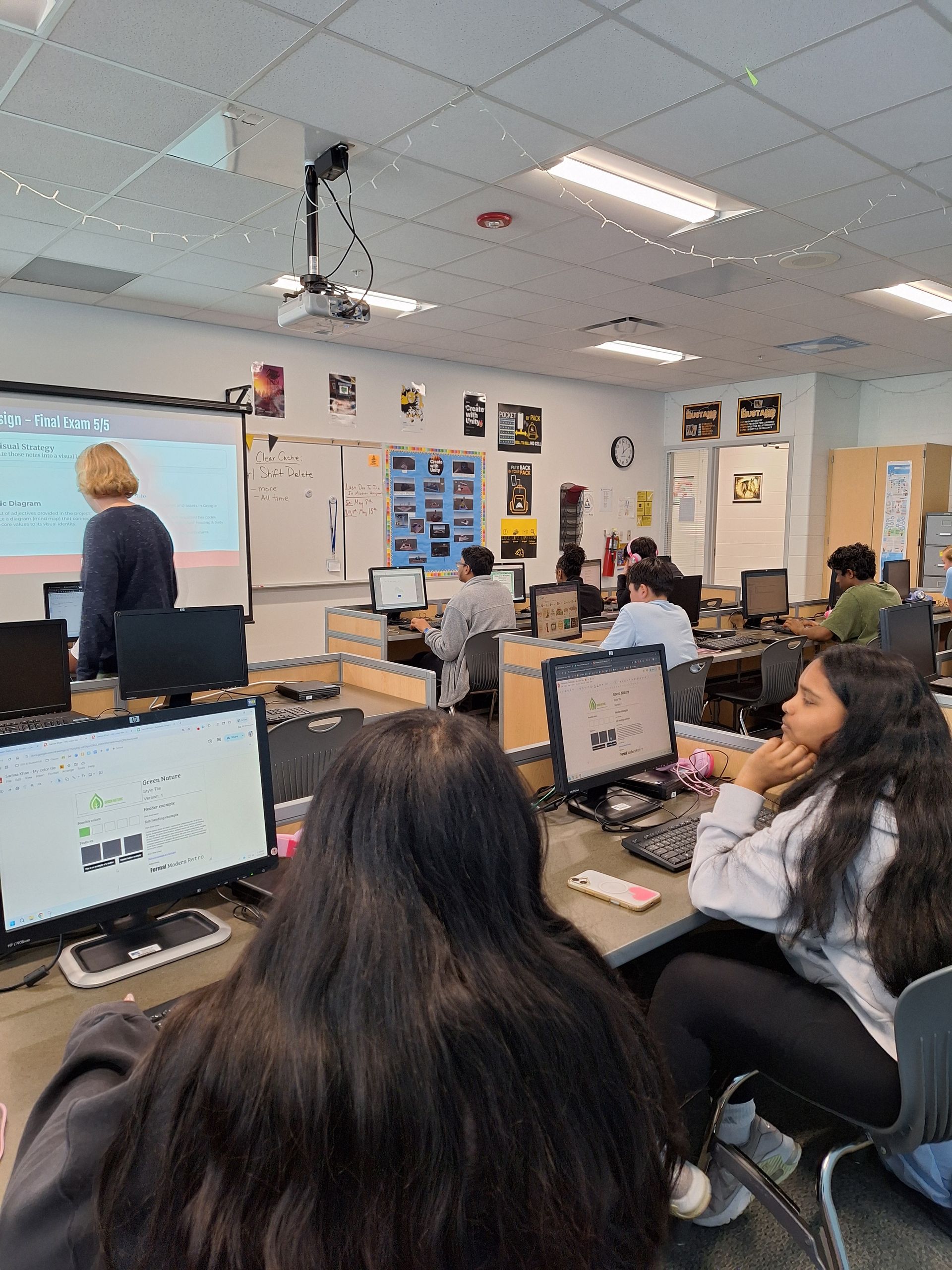
When we introduce these concepts in a high school setting, we fundamentally change the student's relationship with their hardware. For years, the narrative in CTE labs has been one of limitation: "We can't teach high-end game design because our computers aren't fast enough." WebAssembly changes that narrative. Students learn how to optimize their code to bypass hardware limitations rather than being victims of them. It turns a technical constraint into a competitive advantage. This teaches a higher level of Computational Thinking—students aren't just learning "how to code"; they are learning how to manage system resources, memory, and performance budgets.
Steve Waddell, founder of CTeLearning, sees this as the ultimate "Democratization" of technology:
"For too long, elite tech education was reserved for the 'wealthy districts' that could afford $50,000 hardware labs," says Waddell. "Technologies like Wasm change the game. When we teach students to build 'Edge-Native' apps, we are giving them the power to create professional-grade tools on a $200 device. We are teaching them that their creativity isn't limited by their zip code or their school’s budget. That is the true power of modern web standards."
The CTE Director’s ROI: Stability and Scalability
One of the biggest hurdles to launching a new CTE pathway is the "IT Friction." Installing new software on 500 machines, managing updates, and troubleshooting driver conflicts can take months. Edge-Native curriculum solves this instantly.
- Zero Installation: Everything runs in the browser. There are no .exe files to push or security permissions to override.
- Hardware Longevity: Because Wasm is so efficient, it breathes new life into older hardware. Schools can extend their "Refresh Cycle," saving tens of thousands of dollars in capital expenses.
- Offline Resilience: Edge-Native apps can be designed to work "Offline-First," meaning a student can keep working on their project even if the school’s internet goes down.
Actionable Steps for Admins: Modernizing the Tech Stack
Transitioning to an "Edge-First" mindset requires a strategic shift in how districts evaluate curriculum and software. Here is how to ensure your program stays ahead of the curve:
- Prioritize Browser-Native Tools: Move away from software that requires local "installs" which often break or require constant IT intervention.
- Introduce "Performance Budgets": Teach students that if an application uses too much memory or CPU, it is a Design Failure. This aligns perfectly with the sustainability goals of the Green Web Standards we promote.
- Bridge the Language Gap: Even if students start with JavaScript, introduce the concept of "Compilation." Explain how languages like C++ are turned into Wasm to run at lightning speed.
- Focus on Security: Use the local-processing nature of Edge Computing to teach students about Data Sovereignty and privacy-by-design.
The CTeLearning Connection: Professional Power on Every Desk
We have built the entire CTeLearning ecosystem to be Edge-Ready. Our Web Design, Web Animation, and Game Design tracks don't require high-end GPUs; they leverage optimized web standards to deliver a smooth, professional experience on any device. We teach students the "Full Stack" of the future—where UI/UX, accessibility, and high-performance engineering meet.
Our partnership with
Web Professionals Global ensures that the certifications your students earn are vetted by the experts building the actual "Edge" of the internet. We aren't just teaching the web of yesterday; we are giving your students the keys to the high-performance digital economy of tomorrow.
Is Your District Ready for the "Edge-Native" Revolution?
Don't let outdated hardware or budget constraints hold your students back. Give them the curriculum that turns any device into a professional workstation. Explore our 2026-2027 curriculum pathways today and see how we are bringing high-performance WebAssembly standards to the modern CTE classroom.
Get in Touch Today:
Related Reading: